


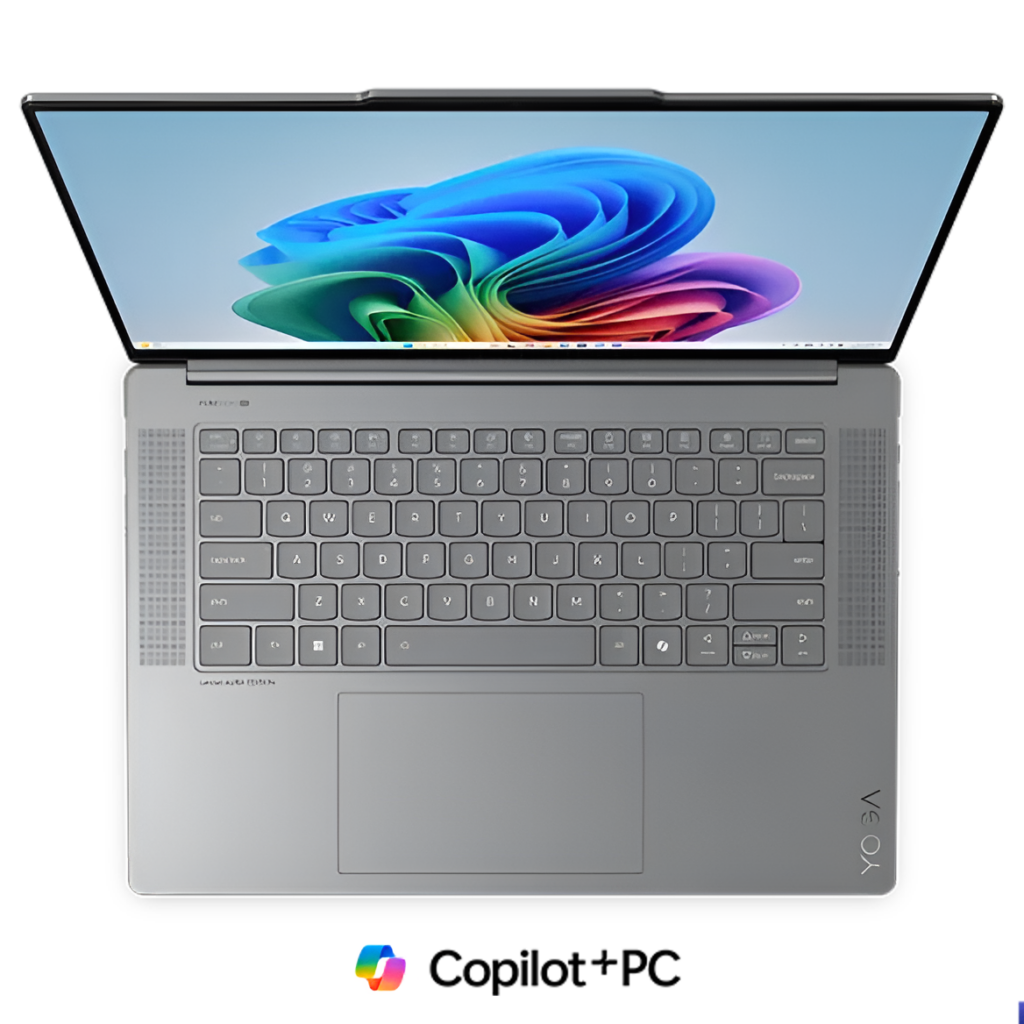
The laptop industry stands at a crossroads today. Artificial intelligence has arrived, and it demands more than just software updates. Manufacturers now face a reality where traditional design blueprints no longer work. Every component of an AI laptop needs rethinking. Every thermal solution requires reconsideration. The devices we once knew are evolving into something entirely different. AI workloads push hardware to its absolute limits. They consume power at unprecedented rates. They generate heat that conventional cooling systems cannot handle.
This transformation affects everything from the motherboard layout to the keyboard placement. The pressure on engineers has never been greater. Companies must balance performance with portability. They must deliver speed without sacrificing battery life. It’s about more than increasing the power of the chips used in laptops; it represents an entire reinterpretation of what the laptop could actually be.
Let’s talk to understand in detail!
Table of Contents
1. Power Delivery Systems Need a Complete Overhaul
AI processors consume energy at rates that shock even experienced engineers. Traditional power delivery systems simply cannot keep up. A modern AI laptop demands a completely different power architecture than anything manufacturers have built before. Instead of short, predictable CPU bursts, AI workloads create sustained, spiky, and highly dynamic power draw patterns. Manufacturers now design dual-rail power systems that split loads between components. These systems prevent voltage drops that could crash intensive AI tasks.
The battery technology must evolve alongside these power demands. Lithium-polymer cells now pack into every available millimeter of chassis space. Every watt-hour of capacity is a hard-fought victory for engineers.
Smart Power Management Becomes Essential
Dynamic power allocation has become the secret weapon of AI laptop design as the system continuously shifts energy between the CPU, GPU, and NPU based on workload. These systems constantly monitor workload demands. They shift power between the CPU, GPU, and NPU based on real-time needs. This intelligent distribution extends battery life without compromising performance.
2. Thermal Architecture Requires Revolutionary Thinking
Heat management has emerged as the most critical design challenge. AI chips generate thermal loads that melt conventional cooling solutions. Engineers now stack vapor chambers in layers throughout the chassis. These chambers spread heat across larger surface areas. The result is more efficient dissipation without creating hot spots that burn fingers.
Manufacturers experiment with liquid metal thermal compounds. These materials conduct heat three times better than traditional paste. Some companies embed heat pipes directly into the keyboard deck. Others route thermal channels through the hinge mechanism.
Advanced Fan Designs Enter the Scene
The humble cooling fan has undergone remarkable innovation. Blade designs now mimic aircraft turbine technology. These fans move more air while generating less noise. Some models use magnetic levitation bearings that eliminate friction. The whisper-quiet operation allows AI processing without disturbing entire coffee shops.
With the global AI laptop market expected to cross $260.43 billion by 2030, it has become necessary for manufacturers to rethink design from the ground up.
3. Chassis Materials Must Balance Strength and Conductivity
Aluminum remains popular, but manufacturers now alloy it differently. These new blends conduct heat better while maintaining the structural integrity of an AI laptop. Magnesium alloys appear in premium models due to their excellent thermal properties. Carbon fiber composites provide the necessary strength without the associated increase in weight. The research and development in materials for these chassis have reached a very high level of complexity.
AI processors generate radio frequency noise that can disrupt wireless connections. The chassis itself becomes part of the solution. Manufacturers embed copper mesh layers between structural components. These layers trap interference while allowing heat to escape.
4. Keyboard Layouts Adapt to AI Workflows
Dedicated AI function keys now appear on the top rows. These buttons trigger specific AI features with single presses. Copilot keys let users launch AI assistants instantly. Prompt builder keys help format queries for language models. Your AI laptop keyboard becomes an interface specifically designed for AI interaction.
Travel distance has decreased to make room for larger cooling systems beneath. Manufacturers compensate with improved tactile feedback mechanisms. Some keyboards now use Hall effect switches that never wear out. The typing experience remains excellent despite the compromised space.
5. Display Technology Shifts Toward AI Visualization
Screen requirements have changed dramatically. AI applications benefit from higher refresh rates that smooth complex animations. The importance of color accuracy is growing in the use of AI to generate content. Today, the providers of display hardware do color calibration in such a manner that all professional color spaces are covered.
Touchscreen integration in an AI laptop has become standard rather than optional. AI interfaces work better with direct manipulation. Users can point at elements and ask questions about them. The displays must support pen input for sketching ideas that AI tools can interpret. These requirements add complexity to already crowded chassis designs.
6. Port Selection Reflects New Connectivity Demands
Thunderbolt 4 ports have become mandatory in an AI laptop setup. AI workloads often require external GPU enclosures for maximum performance. These connections need 40 gigabits per second of bandwidth. Multiple ports allow users to connect displays, storage, and eGPUs simultaneously.
HDMI 2.1 ports are worthwhile for connecting PCs or HDMI dongles with a 4K display to provide smooth video playback at 60 fps for PowerPoint presentations. Ethernet jacks reappear on professional models. Cloud AI services demand stable connections that WiFi cannot always guarantee. The port layout reflects the reality of AI-dependent workflows.
7. Storage Solutions Must Keep Pace with Data Hunger
AI models and datasets consume hundreds of gigabytes. Base storage configurations now start at one terabyte minimum. PCIe Gen 5 SSDs deliver read speeds exceeding 12 gigabytes per second. This speed matters when loading large language models into memory. Every second saved on data transfer improves user productivity.
Some manufacturers design dual-SSD configurations. Users can dedicate one drive entirely to AI models and training data. The operating system and applications live on the second drive. This separation prevents performance bottlenecks. RAID configurations appear in high-end models for added speed and redundancy.
The Future Takes Shape Today
The AI laptop revolution has only just begun. Manufacturers continue pushing boundaries in ways that seemed impossible years ago. Each design in an AI laptop generation brings improvements that compound on previous innovations. The laptops shipping today represent just the first wave of this transformation. Engineers work on even more radical designs that will arrive within months.
The competition drives rapid innovation that benefits everyone. These seven priorities will define laptop design for years to come. The industry has accepted that AI changes everything. There is no going back to simpler times. The future of computing lives in these reimagined devices, which we call AI laptops.