


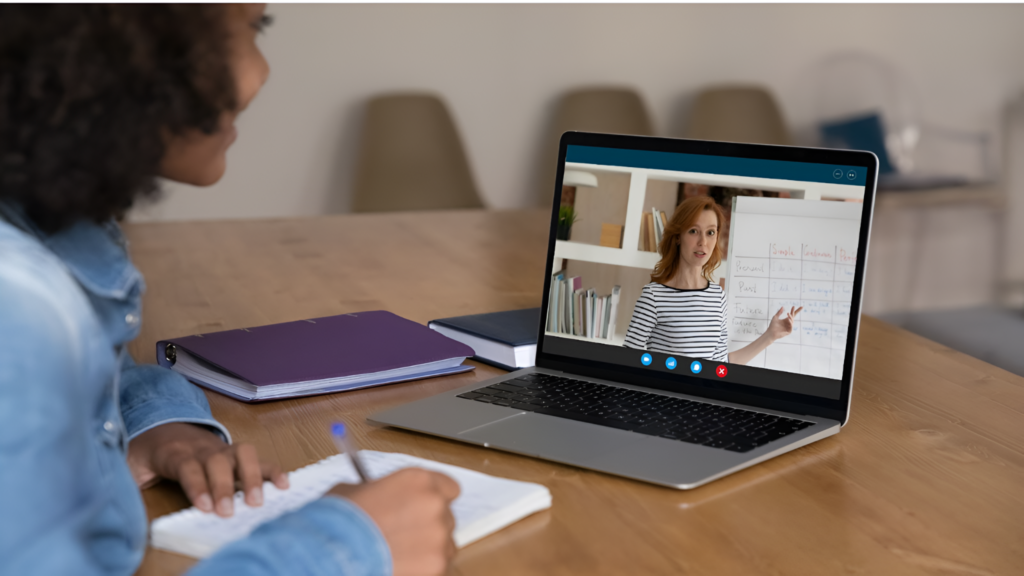
Your eyes hurt after just thirty minutes of class. Your neck feels stiff. The teacher’s voice keeps cutting out. Notifications pop up every few seconds. You want to pay attention, but your laptop fights against you.
Online learning demands more from your computer than you might think. You’re not just watching videos. You’re running video calls. You’re sharing screens. You’re taking notes. You’re switching between multiple apps. All of this occurs simultaneously.
The good news? You can fix most focus problems by choosing the right laptop features. Some specifications matter more than others for online learning.
Let’s explore seven key considerations that transform your online class experience from frustrating to productive.
1. Screen Size and Quality Shape Your Learning Experience
Small screens force you to squint constantly. Your eyes work overtime to read text. You lean forward and strain your neck. The best laptop computer for students comes with a 14-inch screen or more, which can be a perfect fit for most students. Two windows fit side by side when needed.
- Larger 15.6-inch or 17-inch displays offer even more comfort. You position windows without overlap.
- The extra screen space reduces mental fatigue during long study sessions.
An average panel is around 200-250 nits bright. Higher numbers mean clearer visibility in various lighting conditions.
Bright screens help you study near windows. You don’t need to close blinds or move to darker rooms. Natural lighting becomes an advantage rather than a problem.
2. Reliable Internet Connection Keeps You in the Flow
Your laptop’s WiFi capabilities directly affect class participation. Weak connections drop you from meetings. Videos freeze mid-explanation. Your concentration breaks every time you reconnect.
- Modern WiFi 6 technology provides stronger and faster connections. It handles multiple devices better.
- Your internet stays stable even when family members use other gadgets.
Ethernet ports offer backup options. Wired connections beat wireless for stability. You plug in during important tests or presentations. This simple cable eliminates connectivity anxiety.
3. Webcam and Microphone Quality Build Better Participation
Grainy webcams make you feel disconnected from class. Teachers can’t see your reactions. Classmates struggle to recognize you. Group projects feel awkward and impersonal.
- Look for 1080p webcams instead of basic 720p versions.
- The higher resolution shows your face clearly.
Good webcam placement matters too. Top-mounted cameras create natural eye contact. You appear attentive and focused. Side-mounted cameras create awkward angles that distract others.
4. Battery Life Eliminates Power Anxiety
Short battery life creates constant stress. You watch the power percentage drop during class. You worry about reaching outlets. Your attention splits between learning and battery management.
Eight hours of battery life covers a full school day comfortably. You attend all classes without plugging in. Study sessions happen anywhere in your home. Coffee shops and libraries become viable learning spaces.
Fast charging technology adds convenience. A quick fifteen-minute charge provides hours of use. You top up during lunch breaks. Power worries disappear from your mental checklist.
5. Processing Power Handles Multiple Tasks Smoothly
As per a report, more than 61% of universities globally incorporate online classes. Moreover, about 3.3 million students have enrolled for that. So, these students know how to work with multiple applications. Video conferencing runs alongside note-taking apps. Research browsers load while presentations play. Weak processors struggle with this workload.
- Intel Core i5 or AMD Ryzen 5 processors handle student needs excellently. They run multiple programs without slowdowns.
- Switching between apps happens instantly. Your workflow stays smooth throughout the day.
More processing cores help even more. Four cores or more divide tasks efficiently. Each application gets dedicated resources. Nothing competes for attention inside your computer.
RAM Makes Everything Faster
- 8GB of RAM serves as the minimum for comfortable online learning. This memory holds all your active programs.
- More RAM means smoother performance across everything.
16GB provides extra breathing room. You keep dozens of browser tabs open. Research projects don’t slow down your system. Future software updates won’t overwhelm your laptop.
6. Keyboard Comfort Supports Extended Learning Sessions
You type notes for hours during online classes. Uncomfortable keyboards cause hand fatigue. Poor key spacing creates constant typos. Physical discomfort breaks your concentration repeatedly.
- Full-sized keyboards with proper key spacing feel natural. Your fingers land where they expect.
- Typing becomes automatic instead of requiring conscious thought. Notes flow smoothly without technical interruptions.
- A good key travel distance provides tactile feedback. You know when each keystroke registers.
- This certainty speeds up your typing. Fewer errors mean less time spent on corrections.\
7. Storage Space Accommodates Growing Academic Needs
Limited storage creates constant file management stress. You delete old assignments to make room for new ones. Important documents get lost in cleanup frenzies. Your focus shifts to technical housekeeping instead of learning.
- 256GB of storage serves light users adequately. You save documents and presentations comfortably. Cloud storage supplements local space when needed.
- 512GB or more provides genuine freedom. You store recorded lectures for review. Large project files live locally for quick access. Software installations don’t trigger storage warnings.
- SSD storage loads everything faster than old hard drives. Your laptop boots in seconds. Applications launch instantly. File transfers complete quickly. This speed keeps your momentum going.
Conclusion
The best laptop computer for students can literally take their learning curve to the next level. You don’t think about technical limitations. Your attention stays on the course content where it belongs. Learning flows naturally without digital interruptions.
Every feature discussed here serves one purpose. Removing barriers between you and education. Better screens reduce eye strain. Reliable connections maintain engagement. Comfortable keyboards support long study sessions.
As online education continues to grow, your laptop needs will evolve, too. Starting with solid fundamentals ensures years of productive learning. Focus-friendly features today become academic advantages tomorrow.