


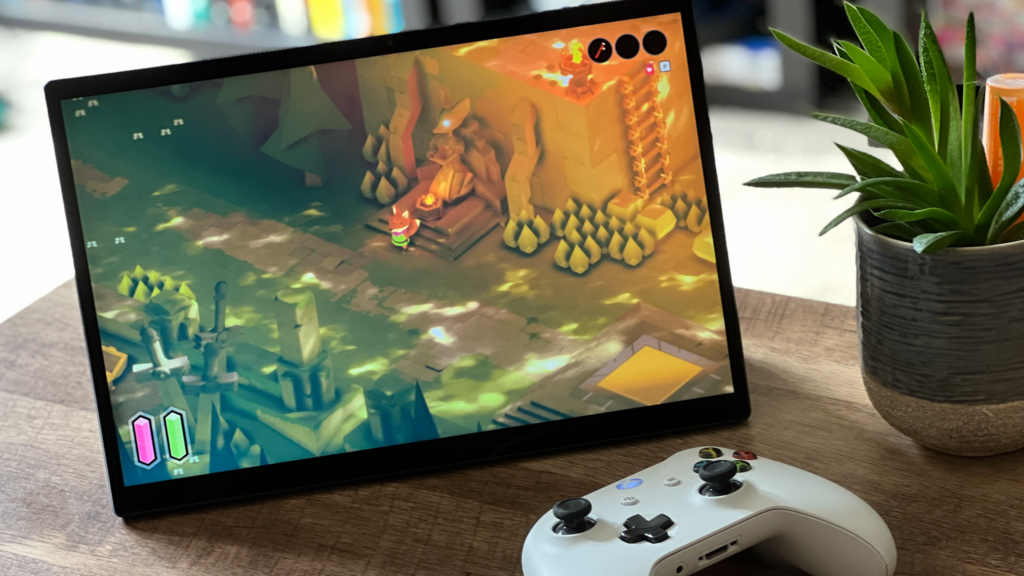
Finding the right gaming tablet should feel simple, not scary. You want smooth play, sharp visuals, and long battery life. You also want a device that fits your hands, your games, and your budget.
The good news is that you do not need to chase the biggest numbers. What you need is balance. Performance, screen quality, heat control, and network speed all matter. So do comfort and durability.
I’ve written this article so that I can break the choice into small steps you can use today. Once you read it and take in all the information, you should test it yourself to see what you like. And by the end, you will know what to check, what to skip, and how to set your own must‑have list.
Start with performance
Fast chips and smart cooling decide how steady your frame rate stays after ten or twenty minutes. This means that if you have a tablet that’s just heating up all the time, then gaming on it is going to be really troublesome. Another thing you should know is that a tablet for gaming needs a strong graphics unit and plenty of memory. Look for at least 8 GB of RAM for modern titles. Pick storage that reads and writes fast so levels load quickly and stutter stays low. Good cooling is just as key as raw speed because heat can slow a device under load.
Quick checks
-
CPU and GPU: choose current‑gen or last‑gen flagship tiers
-
RAM: 8 GB is a safe floor, 12 GB or more for heavy multitaskers
-
Storage: 256 GB if you keep many big games
-
Thermal design: metal frame and vapor chamber help sustain frames
The display shapes your play
Your eyes and fingers live on the screen. A high refresh rate feels smoother in shooters and racers. 120 Hz is the sweet spot for most players. Touch sampling should be high as well for quick inputs. Size matters too. An 11 to 12-inch screen gives space for controls and maps without feeling heavy. Brightness helps outdoors. Anti‑glare glass or a good screen protector can reduce reflections. HDR can add pop in supported games, though it uses more power.
Quick checks
-
Refresh rate: 120 Hz or higher
-
Touch response: high sampling for fast taps and swipes
-
Brightness: strong peak for daylight use
-
Panel type: choose what looks best to your eyes, not just the spec
Battery and charging
A great session should not end early. A large battery helps, but so do smart settings. Adaptive refresh rate and per‑game performance modes can stretch play time. Fast charging is handy between matches. If you play while charging, keep the tablet on a stand so heat can escape. A cool device runs better and lasts longer.
Quick checks
-
Capacity: higher is better for long trips
-
Charging: look for fast top‑ups and safe heat control
-
Power modes: game profile or performance slider
Controls and accessories
Touch works for many games, but action titles feel better with a real controller. Check for plug‑in or Bluetooth controllers that fit your hands. A simple stand or case with a firm angle helps a lot. If you stream games from a console or PC, low input delay is vital. Headsets with clear mics make team play easier. A stylus is not needed for most games, but can help in strategy or art apps.
Quick checks
-
Controller support: wired over USB‑C or wireless with low lag
-
Stand or case: steady angle and solid grip
-
Audio: good speakers for solo play, headset for squads
Networks and ports
Online play needs a fast, steady link. Wi‑Fi 6 or newer is ideal in crowded homes. The 6 GHz band can cut interference if your router supports it. Some tablets offer mobile data for play on the go. That is a nice‑to‑have, not a must. A USB‑C port with high data speed is useful for docks, drives, or displays. A headphone jack removes the need for adapters, but many players use wireless.
Quick checks
-
Wi‑Fi: 6 or newer, strong antennas
-
Mobile data: optional for travel
-
USB‑C: higher speed for accessories and video out
-
Bluetooth: recent version for stable controllers
Conclusion
The thing about gaming on mobile devices like tablets ultimately comes down to what you need as a gamer. You need to know what the games you play demand in terms of power and performance. But don’t forget about how it can be good or bad for your eyes, too. Give heat and comfort as much weight as raw speed. Plan for storage and a stable network. Add a good controller and a stand, and you are set.
Keep your checklist handy and test in person when you can. If you share the device, set up profiles and clear controls. When you take a simple, balanced view, you get more fun for every dollar. If you use this to shape a short list, ResultFirst can help you turn it into a clean compare chart you can act on.